C#
Table of Contents
Cheat Sheets
Usefull Informations
Official Documentation - Microsoft Csharp |
About Csharp |

|
Type of Language: Procedural, Object-Oriented |
Born in: 2000 |
|
Caracteristics: Microsoft plateforms language |
|
Popularity: 6.5% (4th) src |
|
Usefull for: software, mobile, web api… |
|
Misc: … |
Types and Variables
- PRIMITIVES
Name |
Expression |
Size |
Min |
Max |
|---|---|---|---|---|
Boolean |
|
|
0 (false) |
1 (true) |
Int |
|
|
-9.223e+15 |
9.223e+15 |
Float |
|
|
-9.223e+15 |
9.223e+15 |
Double |
|
|
-9.223e+15 |
9.223e+15 |
- COMPLEXS
Name |
Expression |
Size |
Min |
Max |
|---|---|---|---|---|
DateTime |
|
|
0 (false) |
1 (true) |
Point |
|
|
-9.223e+15 |
9.223e+15 |
- CONVERSION
Char A = Char.Parse(string "A");

Char output;
if (Char.TryParse(string "A", out output)) {
        // Action
}
Input Output
using System.Console;

String name = Console.ReadLine();
Char key = Console.ReadKey();
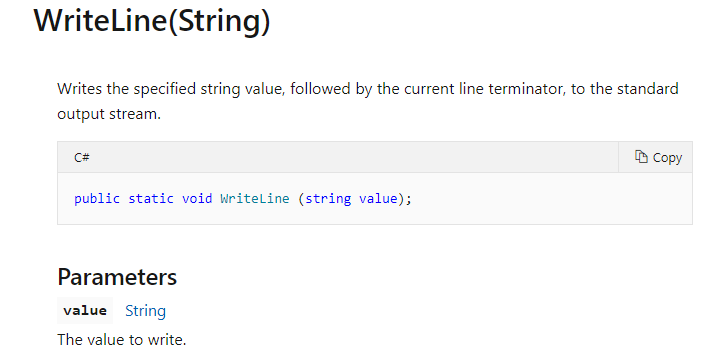
Console.WriteLine("Hello" + name);
Variables, Tests and Loops
const INT32 MAJORITY = 18;
Arrays
- STRINGS
String animal = "Alpine newt";
animal.Length; // 11
animal.Chars[0]; // 'A'
animal.ToLower; // "alpine newt"
animal.ToUpper; // "ALPINE NEWT"
animal.Trim("A"); // "lpine newt"
- ARRAYS
String[] days = new String[] { "Monday", "Tuesday", "Wednesday", "Thursday", "Friday", "Saturday", "Sunday" };
foreach (String day in days) {
        Console.WriteLine(day);
}

for (int i=0; i<days.Length; i++) {
        Console.WriteLine(days[i]);
}

Array.IndexOf(days, "Wednesday"); // 2 (first occurency)
Array.LastIndexOf(days, "Wednesday"); // 2 (last occurency)
Array.Reverse(days);
Array.Sort(days);
- LISTS
List <String> names = new List<String> { /* ... */ };
foreach (String name in names) {
        name = name + "s";
}

for (int i=0; i<names.Count; i++) {
        names[i] = names[i] + "s";
}

names.IndexOf("value");
names.LastIndexOf("value");
names.Reverse();
names.Sort();

names.Add("value");
names.Insert(index, "value");
names.RemoveAt(index);
- DATE
string date = "01/01/2000";
DateTime dateA = DateTime.Parse(date);
DateTime dateB = new DateTime(2017, 6, 30);
Classes and Properties
- METHODS AND CONSTRUCTOR
    public class Person {
            /* private Property */
            private string name;
            private DateTime born;

            /* Public Property */
            public string Name {
                    get => this.name;
                    set {
                            if (value == null) {
                                    throw.newArgumentException("Name can't be null");
                            } else {
                                    this.name = value;
                            }
                    }
            }

            /* Public Constructor */
            public Person(String pName) {
                    Name = pName;
                    this.born = DateTime.Now;
            }

            /* Method Definition */
            public int GetAge() {
                    int Age = DateTime.Now.Year - born.Year;
                    if (born.Month > DateTime.Now.Month) {
                            Age-=1;
                    } else if (born.Month > DateTime.Now.Month) {
                            if (born.Day > DateTime.Now.Day) {
                                    Age-=1;
                            }
                    }
                    return Age;
            }

            /* Method Overload */
            public override string ToString() {
                    return "\nName: " + Name;
            }

            /* Redifine Operators*/

            public override bool Equals (object person) {
                    if (person == null) { return false; }
                    if (person.GetType() != this.GetType()) { return false; }
                    Person p = person as Person;
                    return this.Name == p.Name;
            }

            public static bool operator ==(Person a, Person b) {
                    return a.Equals(b);
            }

            public static bool operator !=(Person a, Person b) {
            return !(a == b);
            }
    }

    /* Class Instanciation */
    static void Main(string[] args) {

    Person person = new Person("Name");
    person.ToString();
}
- DEFAULT METHODS
object.ToString();object.Equals(object);object.GetHashCode();
- ABSTRACT CLASS
Tip
An Abstract Classes cannot be instantiated, but can be very useful by creating different classes that inherit its properties to be sure of their homogeneity, and then be able to store them in common tables per instance.
    abstract class Shape {
        public abstract int GetArea();
    }

    class Square : Shape {
        int side;
        public Square(int nSide) { side = nSide; }
        public override int GetArea() { return side * side; }

        static void Main() {
            Square square = new Square(12);
            Console.WriteLine("Area of the square: " +  square.GetArea());
        }
    }

    class Circle : Shape {
        int radius;
        public Circle(int nRadius) { radius = nRadius; }
        public override int GetArea() { return 3.14159265 * radius * radius; }

        static void Main() {
            Square square = new Square(12);
            Console.WriteLine("Area of the square: " +  square.GetArea());
        }
    }

    /* Class Instanciation */
    static void Main(string[] args) {

    List<Shape> shapes = new List<Shape>(); /* Array of the Abstract class, which of course will not contain any Shape, but Squares and Circles... */
    shapes.Add(new Square(10));
    shapes.Add(new Circle(5));

    for (int i=0; i < shapes.Count; i++) {
            Console.WriteLine(shapes[i].GetArea()); /* We can now call the method of the abstract class for every derivative instanciated */
    }
}
- INTERFACES
Todo
Interfaces etc
Test Unit
using projectName;

namespace UnitTestNameProject {

        [Test Class]
        public class UnitTestClass {

                [Test Method]
                public void TestMethod() {
                        Object obj = new Object( /* ...*/ );
                        int value = 42; // Theorical result
                        Assert.Equals(value, obj.Method());
                }
        }
}

/* Factorisation */
[TestInitialize()]
public void init() {
        Object obj = new Object( /* ...*/ );
}
- ASSERTIONS
/* Values Assertion */
Assert.Equals(valueA, valueB);

Assert.IsTrue(/* ... */);
Assert.IsFalse(/* ... */);

Assert.Null(/* ... */);
Assert.IsNotNull(/* ... */);

/* Instances Comparison */
Assert.AreEqual(A, B);
Assert.AreNotEqual(A, B);

Assert.AreSame(A, B);
Assert.AreNotSame(A, B);
Enumerators
COSTS = new double[] { 10, 20, 30 };
public enum grade { A = 0, B = 1, C = 2 };
int vGrade = (int)this.Grade;
cost = COSTS[vGrade]
XAML
- GUI DESIGN
The GUI Design is defined in App.xaml
<Window Title="Windows Title" Width="640" Height="480" MinWidth="400" MaxWidth="800" ResizeMode="NoResize" WindowsStartupLocation="CenterScreen">
<Grid>
        <Grid.ColumnDefinition />
                <ColumnDefinition Width="330"/> <!-- Fixed Width -->
                <ColumnDefinition Width="*"/> <!-- Auto Width -->
        </Grid.ColumnDefinition>

        <Menu>
                <MenuItem Header="_Menu">
                        <MenuItem Header="_SubMenu" Click="SubMenuFunction"/>
                </MenuItem>
        </Menu>

        <!-- GUI Definition -->

        <Button x:Name="Code_Name" Content="" HorizontalAlignment="left" Height="200" Margin="0,0,0,0" Grid.Column="0"/>

</Grid>
- CODE BEHIND
The Code-Behin of the GUI is defined in the App.xaml.cs
public MainPage() {
InitializeComponent();

        /* Generate a Button Grid */
        private Button[,] ButtonGrid;

        int GridHeight = 10;
        int GridWidth = 10;

        this.ButtonGrid = new Button[GridWidth, GridHeight];

        grille = new Grid();
        grille.Width = 300;
        grid.HorizontalAlignment = HorizontalAlignment.Left;
        grid.VerticalAlignment = VerticalAlignment.Top;

        for (int i=0; i < GridWidth; i++) {
                for (int j=0; j < GridHeight; j++) {
                        this.ButtonGrid[i,j] = new Button();
                        this.ButtonGrid[i,j].Margin = new Thickness (5 + 32*i, 20 + 32*j, 0, 0);
                        Grid.SetRow(this.ButtonGrid[i,j], 0);
                        this.grid.Childre.Add(this.ButtonGrid[i,j]);
                }
        }
- CUSTOM POPUP
public MyPopup(String text) {
        InitializeComponent();
        texte.Text = text;
}

MyPopup popup = new MyPopup("text");
popup.ShowDialog();
popup.Close();

String popupName = popup.Name;

MessageBox.Show("text");

System.Windows.Application.Current.Shutdown();
Todo
Develop / Add examples
MVVM Light
Todo
MVVM