C++
Table of Contents
Introduction
History of the C language
C is an imperative procedural language. It was designed to be compiled to provide low-level access to memory.
It was developed between 1972 and 1973 by Dennis Ritchie, initially to construct utilities running on the Unix operating system.
During the 1980s, C gradually gained popularity and became one of the most widely used programming languages.
Today, the C is not as popular as it used to be, but it’s still a very good language to begin with and understand the rules of programmation.
Moreover, it is realy fast and light and permit to manage the low level datas with the pointers, one thing that most of the high level languages can’t.
Evolution toward C++
C++ was developped in 1979 by Bjarne Stroustrup. It was firstly named C with Classes by it’s creator, then renamed in 1983.
It is an evolution toward an more Object Oriented programming language, that it implements with Classes, Inheritance and many others functionnalities.
The current version of it is C++17 (2017). A new one is standardized by the ISO every 3 years since 2011, the next versions is C++20, already released but not every functionnality are supported yet on the compilators.
Programming in C
First Program : helloworld.c
1 2 3 4 5 6 | #include <stdio.h>
int main() {
printf("Hello, World!");
return 0;
}
|
This file is a simple .txt file, I just edited the extension. Like you can see, it is .c for the base language, and .cpp for C++, but these are not the only ones that exist, there are many others, like .h and .hpp for the header files, .cuh and .cu for CUDA…
To have your program working, you’ll have to build the file:
To put it simply, we get the source code (helloworld.c) and put it into a compiler with the right settings and dependancies, and this compiler output and executable (helloworld.exe) that you can run from your machine. We will use the command line to build and run this file, it’s realy easy.
Compiling
But first of all, you will need a compiler. That’s a piece of software that transform your file from readable instructions (in english) into a language that your machine can understand: binaries (0 and 1), that’s what an .exe file is (if you open it with and text editor, you will see some stranges charaters).
Many C compiler exists, (See all), I recommand these ones:
GCC (from GNU, Open sources) |
|
MSVC (from Microsoft Visual Studio) |
For this example, I’m using GCC 10.0.1, the base command line from Windows 10 and the text editor Sublime Text 3
Note
I recommand to install GCC by MinGW instead of compiling it yourself, you will find explanations on how to proceed HERE
Setup GCC and compiling a basic program
If you are on windows, you can press
Windows+Qthen typecmdto open the command line.1.1 Open it and try to type
gccand pressEnter1.2 If you have a message that look like that, make sure that you downloaded GCC and go to the next step: We will add GCC to the environment variables so the system can find it:
'gcc' n’est pas reconnu en tant que commande interne
1.3 The system need to know where the compiler is to understand that you call it from the command line.
1.3.1 Press
Windows+Qthen typeenvand openEdit the system environment variables1.3.2 Click on the
Environment variablesbutton1.3.3 Select
Pathand click onEdit1.3.4 Finally, click on
Newand paste the link to GCC (ex:C:\MinGW\bin)1.4 Open a new command and type
gcc, now it should work and diplay that message:gcc: fatal error: no input files compilation terminated.
Now we will compile the file
helloworld.c2.1 Open a command in the same directory as the C file
2.2 type these commands:
gcc helloworld.c -o helloworld.exe
helloworld.exe
2.3 The program will output this string:
Hello, World!
Great, you have now a
working basisto begin your learning of theCandC++languages.
Good luck!
Compilator settings and flags
Note
You can call the compiler by gcc for the C compiler and g++ for the C++ compiler. I explain here the flags that I use and find the most important, but you can find all the gcc flags HERE. If you want, you can even create a .bat file to automate the command and launch the compilations.
- Command Syntax
gcc [options] [source files] [object files] -o output file
If you don’t put -o output file, the output file will be a.exe per default.
- Add libraries
-I %libpath%\include -L %libpath%\lib -l libfileA -l libfileB
-Idefine the include folder, generally where the headers files.hare-Ldefine the folder where to look at the source files-ldefine the name/link for the library to include.dllif the lib is dynamically compiled, and.libif it is staticaly compiled
- Warnings and Errors
The Errors Flags begin with a -W (for Warning):
-wdisable all warnings messages, the program will keep compiling-Wallenables all the warnings for minors errors-Wextraenables some extra warning flags that -Wall don’t activate-Werrormake all warnings into errors.-Wfatal-errorsabort compilation on the first error
Debug Flags
-Wall -Wextra -Wold-style-cast -Woverloaded-virtual -Wfloat-equal -Wwrite-strings -Wpointer-arith -Wcast-qual -Wcast-align -Wconversion -Wshadow -Weffc++ -Wredundant-decls -Wdouble-promotion -Winit-self -Wswitch-default -Wswitch-enum -Wundef -Wlogical-op -Winline
For the Debug config, you can put all the flags to detect and display every error or unrecommanded feature of your code.
Release Flags
-Werror -Wfatal-errors
For the Release config, the process abort at the first error
The Debug Flags begin with a -g (for Generate debug informations)
-g0no debug informations-g1minimal debug informations-gdefault debug informations-g3maximal debug informations
Tip
I recommand to stay with the default value -g and switch to higher level -g3 if you have no clue on the error.
- Optimisation
The Optimisation Flags begin with a -O (for Optimisation)
Option |
Optimization Level |
Execution Time |
Code Size |
Memory Usage |
Compilation Time |
|---|---|---|---|---|---|
|
compilation time |
+ |
+ |
- |
- |
|
code size/exe time |
- |
- |
+ |
+ |
|
code size/exe time |
- - |
= |
+ |
+ + |
|
code size/exe time |
- - - |
= |
+ |
+ + + |
|
code size |
= |
- - |
= |
+ + |
|
imprecise fast math |
- - - |
= |
+ |
+ + + |
informations from https://www.rapidtables.com/code/linux/gcc/gcc-o.html#optimization
Import and use Libraries
Includes and Dependancies
To include a library we use the #include command.
#include <library.h>when the headers folder is already linked in the compiler#include "folder/library.h"to search in a specific folder with the path
- List of the most common and used system libraries
C Input/Output library:
#include <stdio.h>C General library:
#include <stdlib.h>C Numerics library :
#include <cmath.h>C Strings library:
#include <string.h>C Time library:
#include <time.h>C++ Time library:
#include <chrono>C++ Treads library:
#include <thread>
informations from https://en.cppreference.com/w/cpp/header
Namespace and utilities
When you use multiple libraries, it could be some conflicts under names between some libraries, that’s why we use namespaces.
“Namespaces provide a method for preventing name conflicts in large projects.” source
- We can use namespaces like that
sf::...
sf::RectangleShape rectangle(sf::Vector2f(120,50));
- Or like that
namespace sf { ... }
namespace sf {
        RectangleShape rectangle(Vector2f(120,50));
}
- Or even like that
using namespace sf;
using namespace sf;

RectangleShape rectangle(Vector2f(120,50));
Tip
I recommand the first two methods, the problem with the last one is that you loose all the purpose of the namespace, and it’s confusing when you want to use both functions from libraries that would be in conflict, you will have to mix the third and the first method…
Cheat Sheets
Usefull Informations
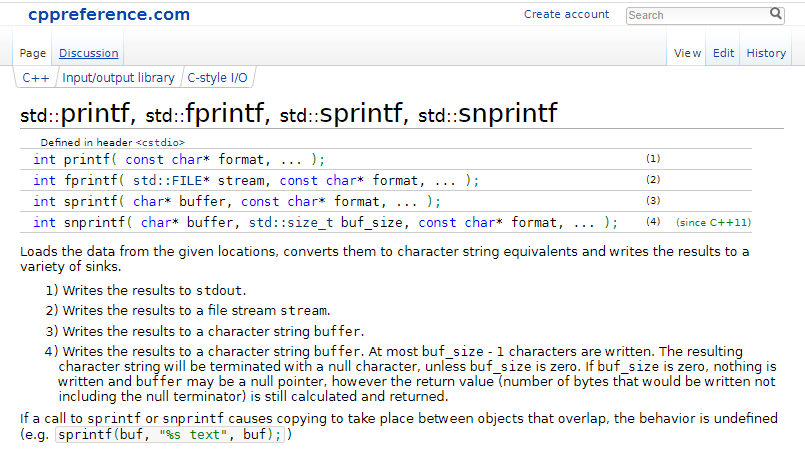
Unofficial Documentation - CppReference |
About Cpp |

|
Type of Language: Procedural, Object-Oriented |
Born in: 1985 |
|
Caracteristics: Statically typed, low level, fast |
|
Popularity: 5.8% (6th) src |
|
Usefull for: softwares, games, embedded… |
|
Misc: … |
Basic C Cheat Sheet
Types and Variables
Note
/s/ stand for Signed and /u/ for Unsigned
- INTEGERS
Name |
Syntax |
Size |
Min |
Max |
Letter |
Aliases |
|---|---|---|---|---|---|---|
Short |
|
|
-32 768 \((-2^{15})\) |
32 767 \((2^{15}-1)\) |
|
|
Short |
|
|
0 \((0)\) |
65 535 \((2^{16}-1)\) |
|
|
Integer |
|
|
-32 768 \((-2^{15})\) |
32 767 \((2^{15}-1)\) |
|
|
Integer |
|
|
0 \((0)\) |
65 535 \((2^{16}-1)\) |
|
|
Long |
|
|
-2 147 483 648 \((-2^{31})\) |
2 147 483 647 \((2^{31}-1)\) |
|
|
Long |
|
|
0 \((0)\) |
4 294 967 295 \((2^{32}-1)\) |
|
|
Long Long |
|
|
-9.223e-15 \((-2^{63})\) |
9.223e+15 \((2^{63}-1)\) |
|
|
Long Long |
|
|
0 \((0)\) |
18.446e+15 \((2^{64}-1)\) |
|
|
Tip
Integers are not rounded they are truncated toward 0. I recommand to not use short appart if you know what you do.
- CHARS
Name |
Syntax |
Size |
Min |
Max |
Letter |
Aliases |
|---|---|---|---|---|---|---|
Char |
|
|
-128 \((-2^{7})\) |
127 \((2^{7}-1)\) |
|
|
Char |
|
|
0 \((0)\) |
255 \((2^{8}-1)\) |
|
|
char8_t |
|
|
0 \((0)\) |
255 \((2^{8}-1)\) |
|
|
char16_t |
|
|
0 \((0)\) |
255 \((2^{8}-1)\) |
|
|
char32_t |
|
|
0 \((0)\) |
255 \((2^{8}-1)\) |
|
|
wchar_t |
|
|
0 \((0)\) |
255 \((2^{8}-1)\) |
|
Tip
Chars are just integers linked to an characted by the ascii table.
- ASCII TABLE
DEC |
HEX |
BIN |
CHAR |
DEC |
HEX |
BIN |
CHAR |
DEC |
HEX |
BIN |
CHAR |
DEC |
HEX |
BIN |
CHAR |
||
|---|---|---|---|---|---|---|---|---|---|---|---|---|---|---|---|---|---|
0 |
00 |
|
NUL (null) |
32 |
20 |
|
|
64 |
40 |
|
|
96 |
60 |
|
|||
1 |
01 |
|
SOH (start of header) |
33 |
21 |
|
|
65 |
41 |
|
|
97 |
61 |
|
|
||
2 |
02 |
|
STX (start of text) |
34 |
22 |
|
|
66 |
42 |
|
|
98 |
62 |
|
|
||
3 |
03 |
|
ETX (end of text) |
35 |
23 |
|
|
67 |
43 |
|
|
99 |
63 |
|
|
||
4 |
04 |
|
EOT (end of transmission) |
36 |
24 |
|
|
68 |
44 |
|
|
100 |
64 |
|
|
||
5 |
05 |
|
ENQ (enquiry) |
37 |
25 |
|
|
69 |
45 |
|
|
101 |
65 |
|
|
||
6 |
06 |
|
ACK (acknowledge) |
38 |
26 |
|
|
70 |
46 |
|
|
102 |
66 |
|
|
||
7 |
07 |
|
EL (bell) |
39 |
27 |
|
|
71 |
47 |
|
|
103 |
67 |
|
|
||
8 |
08 |
|
BS (backspace) |
40 |
28 |
|
|
72 |
48 |
|
|
104 |
68 |
|
|
||
9 |
09 |
|
HT (horizontal tab) |
41 |
29 |
|
|
73 |
49 |
|
|
105 |
69 |
|
|
||
10 |
0A |
|
LF (line feed - new line) |
42 |
2A |
|
|
74 |
4A |
|
|
106 |
6A |
|
|
||
11 |
0B |
|
VT (vertical tab) |
43 |
2B |
|
|
75 |
4B |
|
|
107 |
6B |
|
|
||
12 |
0C |
|
FF (form feed - new page) |
44 |
2C |
|
|
76 |
4C |
|
|
108 |
6C |
|
|
||
13 |
0D |
|
CR (carriage return) |
45 |
2D |
|
|
77 |
4D |
|
|
109 |
6D |
|
|
||
14 |
0E |
|
SO (shift out) |
46 |
2E |
|
|
78 |
4E |
|
|
110 |
6E |
|
|
||
15 |
0F |
|
SI (shift in) |
47 |
2F |
|
|
79 |
4F |
|
|
111 |
6F |
|
|
||
16 |
10 |
|
DLE (data link escape) |
48 |
30 |
|
|
80 |
50 |
|
|
112 |
70 |
|
|
||
17 |
11 |
|
DC1 (device control 1) |
49 |
31 |
|
|
81 |
51 |
|
|
113 |
71 |
|
|
||
18 |
12 |
|
DC2 (device control 2) |
50 |
32 |
|
|
82 |
52 |
|
|
114 |
72 |
|
|
||
19 |
13 |
|
DC3 (device control 3) |
51 |
33 |
|
|
83 |
53 |
|
|
115 |
73 |
|
|
||
20 |
14 |
|
DC4 (device control 4) |
52 |
34 |
|
|
84 |
54 |
|
|
116 |
74 |
|
|
||
21 |
15 |
|
NAK (negative acknowledge) |
53 |
35 |
|
|
85 |
55 |
|
|
117 |
75 |
|
|
||
22 |
16 |
|
SYN (synchronous idle) |
54 |
36 |
|
|
86 |
56 |
|
|
118 |
76 |
|
|
||
23 |
17 |
|
ETB (EOF transmitionblock) |
55 |
37 |
|
|
87 |
57 |
|
|
119 |
77 |
|
|
||
24 |
18 |
|
CAN (cancel) |
56 |
38 |
|
|
88 |
58 |
|
|
120 |
78 |
|
|
||
25 |
19 |
|
EM (end of medium) |
57 |
39 |
|
|
89 |
59 |
|
|
121 |
79 |
|
|
||
26 |
1A |
|
SUB (substitute) |
58 |
3A |
|
|
90 |
5A |
|
|
122 |
7A |
|
|
||
27 |
1B |
|
ESC (escape) |
59 |
3B |
|
|
91 |
5B |
|
|
123 |
7B |
|
|
||
28 |
1C |
|
FS (file separator) |
60 |
3C |
|
|
92 |
5C |
|
|
124 |
7C |
|
|
||
29 |
1D |
|
GS (group separator) |
61 |
3D |
|
|
93 |
5D |
|
|
125 |
7D |
|
|
||
30 |
1E |
|
RS (record separator) |
62 |
3E |
|
|
94 |
5E |
|
|
126 |
7E |
|
|
||
31 |
1F |
|
US (unit separator) |
63 |
3F |
|
|
95 |
5F |
|
|
127 |
7F |
|
DEL (delete) |
informations from https://fr.cppreference.com/w/cpp/language/ascii
- FLOATS
Name |
Syntax |
Size |
Min |
Max |
Letter |
Aliases |
|---|---|---|---|---|---|---|
Char |
|
|
-128 \((-2^{7})\) |
127 \((2^{7}-1)\) |
|
|
Char |
|
|
0 \((0)\) |
255 \((2^{8}-1)\) |
|
|
char8_t |
|
|
0 \((0)\) |
255 \((2^{8}-1)\) |
|
|
char16_t |
|
|
0 \((0)\) |
255 \((2^{8}-1)\) |
|
|
char32_t |
|
|
0 \((0)\) |
255 \((2^{8}-1)\) |
|
|
wchar_t |
|
|
0 \((0)\) |
255 \((2^{8}-1)\) |
|
Input Output
1 2 3 4 5 6 7 8 9 10 11 12 13 14 15 16 17 18 19 20 21 22 | #include <stdio.h>
int main() {
// We define the age variable as an Integer
int age;
// We use printf to output a line of text from a string
printf("Enter an integer for your age: ");
// Scanf convert the input variable and put it in age by reference.
// It will not stop until scanf detect a non null "string" input.
scanf("%i", &age);
// Then we use printf to output the string with the variable.
printf("You are %i years old.\nGreat!", age);
// fflush clean the output buffer, it discards any buffered data that has been fetched from
// the underlying output file, but has not been consumed by the application. Thanks to that
// we are sure to have a clean output the next time we call the function printf.
fflush(stdin);
}
|
Enter an integer for your age: 19
You are 19 years old.
Great!
Note
If you input a you will have an output of 4194432. That’s because scanf don’t convert the string to an int.
When the value is not in the right format, it will get the memory location.
For the boundaries, an input of 2147483647 will output 2147483647, but if you try to enter a
value of 2147483648 you will have an output of -2147483648. Thats because the signed value is greater than
\(2^{31}-1\). The default int boundaries are 32bits on my x64 processor
Variables, Tests and Loops
- VARIABLES DECLARATIONS
1 2 3 4 5 6 7 8 9 10 11 12 13 14 15 16 17 18 19 20 21 22 23 24 25 26 27 28 29 30 31 32 33 34 35 36 37 38 39 40 41 42 43 44 45 46 47 48 49 50 51 52 53 54 55 56 57 58 59 60 61 62 63 64 65 66 67 68 69 70 | int main() {
// Variable declaration and Operators
int value = 10;
value += 5; // 10+5 = 15
value -= 3; // 15-3 = 12
value *= 2; // 12*2 = 24
value /= 4; // 24/4 = 6
value++; // 6+1 = 7
++value; // 7+1 = 8
value--; // 8-1 = 7
--value; // 7-1 = 6
// Binary Operators
int binA = 60, binB = 6;
binA & binB // 60 AND 6 = 4
// 0011 1100 (60)
// 0000 0110 (6)
// ---------------
// 0000 0100 (4)
binA | binB // 60 OR 6 = 62
// 0011 1100 (60)
// 0000 0110 (6)
// ---------------
// 0011 1110 (62)
binA ^ binB // 60 XOR 6 = 58
// 0011 1100 (60)
// 0000 0110 (6)
// ---------------
// 0011 1010 (58)
~binB // NOT 6 = -9
// (0) 0110 (6)
// ---------------
// (1) 1001 (-9)
binB <<= 3 // 6 LEFT-SHIFTED BY 3 = 48
// 0000 0110 (6)
// ---------------
// 0011 0000 (48)
binA = binA >> 2 // 60 RIGHT-SHIFTED BY 2 = 15
// 0011 1100 (60)
// ---------------
// 0000 1111 (15)
// Tests
bool A = true; // A=true=1
bool B = !A; // B=false=0
if (A) { /* (IS) TRUE */ }
if (!A) { /* (IS NOT) FALSE */ }
if (A && B) { /* (AND) FALSE */ }
if (A || B) { /* (OR) TRUE */ }
if(!A != !B) { /* (XOR) TRUE */ }
if (A==1) { /* (EQUAL) TRUE */ }
if (A!=42) { /* (NOT EQUAL) TRUE */ }
if (A>1) { /* (GREATER THAN) FALSE */ }
if (A>=1) { /* (GREATER OR EQUAL) TRUE*/ }
if (A<-2) { /* (LOWER THAN) FALSE*/ }
if (A<=B) { /* (LOWER OR EQUAL) FALSE*/ }
}
|
- TESTS IF
1 2 3 4 5 6 7 8 9 10 11 12 13 14 | if (Condition) {
// Action
}
if (Condition) {
// Action
} else if (Condition) {
// Action
} else {
// Action
}
if(Condition)
// Action
|
- SWITCH
1 2 3 4 5 6 7 | switch (variable) {
case 1: // Action
break;
case 2: // Action
break;
default: // Action
}
|
- LOOPS
1 2 3 4 5 6 7 8 9 10 11 | do {
// Action
} while(conditions);
while (conditions) {
// Action
}
for (int i=0; i<10; i++) {
// Action
}
|
Tip
You can use break; to stop a loop.
Random numbers
- RANDOMS
1 2 3 4 5 6 7 8 9 10 11 12 13 14 15 16 17 18 19 20 21 22 23 24 | #include <stdio.h> // NULL
#include <stdlib.h> //srand, rand
#include <time.h> // time
#include <math.h> // pow
int main() {
rand()%100; // Rand integer from 0 to 99
srand(time(NULL)); // Initialise the random generator with the internal clock as a Seed
rand()%100; // This one is a more random number (current seed is quite special)
srand (1); // The random generator's seed is 1 by default, go put it back to see
rand()%100; // This next random number should be the SAME as the first one
// To have a delimited random number, you can use this:
int max=112, min=75;
srand(time(NULL));
for (int i = 0; i < 10; ++i)
{
int random = (rand()%(max-min))+min;
printf("%i ", random); // (ex: 110 109 98 89 105 94 79 103 93 101)
}
}
|
Tip
You can see the max of rand() with RAND_MAX (32767+). For betters randoms number you can use the BOOST library.
Arrays
- ARRAYS
1 2 3 4 5 6 7 8 9 10 11 12 13 14 15 16 17 18 19 20 21 22 23 24 25 26 27 28 29 30 | #include <stdio.h>
int main()
{
// We declare an array of 4 integers
int numbers[5] = {0, 1, 2, 4, 8};
// You can also declare arrays like that, the array will have the size of the elements you define
float prime[] = {2, 3, 5, 7, 11, 13, 17, 19, 23, 29, 31, 37, 41, 43, 47, 53, 59, 61, 67, 71, 73, 79, 83, 89, 97};
// You can compute it's size like that
int length = sizeof(numbers) / sizeof(int); // 20 / 4 = 5
for (int i=0; i<length; i++) {
printf("%i ", numbers[i]); //display: 0 1 2 4 8
}
numbers[0] = 20; // {20, 1, 2, 4, 8}
numbers[3] = 10; // {20, 1, 2, 10, 8}
// But the solution with the size calculation is not optimal: it can be a problem when
// the array is not declared on the stack but on the heat, a better solution can be :
const int better_length = 10;
int better_numbers[better_length];
for(int i=0; i<better_length; i++) {
better_numbers[i] = i;
}
}
|
- STRINGS
1 2 3 4 5 6 7 8 9 10 11 12 13 14 15 16 17 18 19 20 21 22 23 24 25 26 27 28 29 30 31 | #include <string.h>
int main()
{
// The end delimiter of an array of chars is always '\0'
char word[6] = {'G','u','i','t','a','r'};
// We can define multi-dimentionnal arrays like that
char week[7][9];
strcpy(week[0], "Lundi");
strcpy(week[1], "Mardi");
strcpy(week[2], "Mercredi");
strcpy(week[3], "Jeudi");
strcpy(week[4], "Vendredi");
strcpy(week[5], "Samedi");
strcpy(week[6], "Dimanche");
strlen(word); // The length of word is 6
switch(strcmp(week[0], week[1])) {
case 0: // week[0] == week[1]
break;
case -1: // week[0] < week[1]
break;
case 1: // week[0] > week[1]
break;
}
}
|
1 2 3 4 5 6 | string entry;
int test;
do {
// Test if the input string is composed of chars bewteen 'a' and 'z'
test = scanf("%1[a-z]c", &entry);
} while(test != 1)
|
Functions
1 2 3 4 5 6 7 | int random(int min, int max) {
return (rand()%(max-min)) + min;
}
void nothing() {
//return nothing ...
}
|
Structures
- RECTANGLE STRUCTURE EXAMPLE
1 2 3 4 5 6 7 8 9 10 11 12 13 14 15 16 17 18 19 20 21 22 23 24 25 26 27 28 29 30 31 32 33 34 35 36 37 38 39 | #include <stdio.h>
// We define the Rectangle structure.
typedef struct {
// It contains some of it's Properties like the position (x,y) and the size (height, width)
float x;
float y;
float height;
float width;
// Structs are not like Classes, wecannot create functions inside it.
} Rectangle;
// We create a function to calculate the area of a Rectangle
float calcArea(Rectangle r) {
return r.height * r.width;
}
// We alse create a function to print the properties of the struct, it call the precedent function to compute the area
void toString(Rectangle r) {
printf("structure: Rectangle\n + Position: [%f, %f]\n + Size: [%f, %f]\n + Area: %f", r.x, r.y, r.height, r.width, calcArea(r));
}
int main() {
// We instantiate a Rectangle with the name rectangle
Rectangle rectangle;
// We edit it's properties
rectangle.x = 10.0;
rectangle.y = 2.0;
rectangle.height = 3.7;
rectangle.width = 6.5;
// We call the toString function to see if the properties have changed
toString(rectangle);
}
|
structure: Rectangle
 + Position: [10.000000, 2.000000]
 + Size: [3.700000, 6.500000]
 + Area: 24.050000
Pointers and Smart pointers
https://www.youtube.com/watch?v=IzoFn3dfsPA https://www.youtube.com/watch?v=DTxHyVn0ODg https://www.youtube.com/watch?v=UOB7-B2MfwA
HEAP vs STACK Passing by reference …
- POINTERS
1 |
|
Basic C++ Cheat Sheet
Arrays
- ARRAYS
1 2 3 4 5 6 7 8 9 10 11 12 13 14 15 16 17 18 19 20 21 22 23 24 25 26 27 28 29 30 31 32 33 34 35 36 37 38 39 40 41 42 43 | #include <iostream>
#include <array>
#include <vector>
// We are not editing the values so we add const
void Function(const std::vector<int>& values) {
// ...
}
int main()
{
// We initialize an array of 5 int
std::array<int, 5> numbers;
for (int i=0; i<numbers.size();i++) {
numbers[i] = i*10;
std::cout << numbers[i] << std::endl;
}
// TODO Vector type and arrays of pointers, redifine
std::vector<int> values;
values.push_back(10);
for (int i=0; i<values.size(); i++) {
std::cout << values[i] << std::endl;
}
// Or even
for (const values& v : int) {
std::cout << v << std::endl;
}
values.erase(values.begin() + 2); // Erase the third element, we cannot just pas the position
values.clear(); // Set back size to 0
// We pass the values by Reference to avoid copies
Function(values);
// HEAT vs STACK, copying and optimisation...
return 0;
}
|
Threads
https://www.youtube.com/watch?v=wXBcwHwIt_I
1 2 3 4 5 6 7 8 9 10 11 12 13 14 15 16 17 18 19 20 21 22 23 24 25 26 27 28 29 30 31 32 33 34 35 36 37 38 39 | #include <iostream>
#include <thread>
static bool s_Finished = false;
// Just print a line of text
void DoWork() {
using namespace std::literals::chrono_literals;
std::cout << "Function thread id=" << std::this_thread::get_id() << std::endl;
while(!s_Finished) {
// \n is performance wise better than endl, unless flushing of stream is required
std::cout << "Working...\n";
// Prevent the thread to be CPU Usage 100% (if it print as fast as he can)
std::this_thread::sleep_for(1s);
}
}
int main() {
std::cout << "Main thread id=" << std::this_thread::get_id() << std::endl;
// This worker will just print Working as fast as it can until we press Enter
std::thread worker(DoWork);
// When whe press Enter, set s_Finished to true and stop the function printing by the otehr thread
std::cin.get();
s_Finished = true;
// Tell the main thread to wait that the thread worker finish his task before it run the next ones
worker.join();
std::cout << "Finished." << std::endl;
// Dont do cin.get() while the otehr thread is running
std::cin.get();
return 0;
}
|
SFML
1 2 3 4 5 6 7 8 9 10 11 12 13 14 15 16 17 18 19 20 21 22 23 24 25 26 27 28 29 30 31 32 33 34 35 36 37 38 39 40 41 42 43 44 45 46 47 48 49 50 51 52 53 54 55 56 57 58 59 60 61 62 63 64 65 66 67 68 69 70 | #include <SFML/Graphics.hpp>
int main()
{
// Create the main window
sf::RenderWindow window(sf::VideoMode(800, 600), "SFML window");
// Create a Rectangle shape to display
sf::RectangleShape rectangle(sf::Vectir2f(120,50)); // Width, Height
rectangle.setFillColor(sf::Color(150, 50, 250));
rectangle/setOutlineThickness(10);
rectangle.setOutlineColor(sf::Color::Red);
rectangle.setorigin(sf::Vector2f(100, 100));
rectangle.setPosition(100, 200);
rectangle.setRotation(30);
// Create a Circle shape to display
sf::CircleShape circle(50, 0); // Radius, Number of faces (0=circle, 3=triangle ...)
// Create a Triangle shape to display
sf::ConvexShape triangle;
triangle.setPointCount(3);
triangle.setPoint(0, sf::Vector2f(10,10));
triangle.setPoint(1, sf::Vector2f(20,20));
triangle.setPoint(2, sf::Vector2f(30,10));
// Create a graphical text to display
sf::Font font;
if (!font.loadFromFile("arial.ttf"))
return EXIT_FAILURE;
sf::Text text("Text", font, 50);
// Start display loop
while (window.isOpen())
{
// Process events
sf::Event event;
while (window.pollEvent(event))
{
// Close window: exit
if (event.type == sf::Event::KeyPressed)
system("pause");
// Close window: exit
if (event.type == sf::Event::Closed)
window.close();
}
// Clear screen
window.clear(sf::Color::Black);
// Draw the rectangle
window.draw(rectangle);
// Draw the circle
window.draw(circle);
// Draw the triangle
window.draw(triangle);
// Draw the string
window.draw(text);
// Update the window
window.display();
// Set delay to update
sleep(milliseconds(10));
}
}
|
CMake and Builds
Todo
CMake